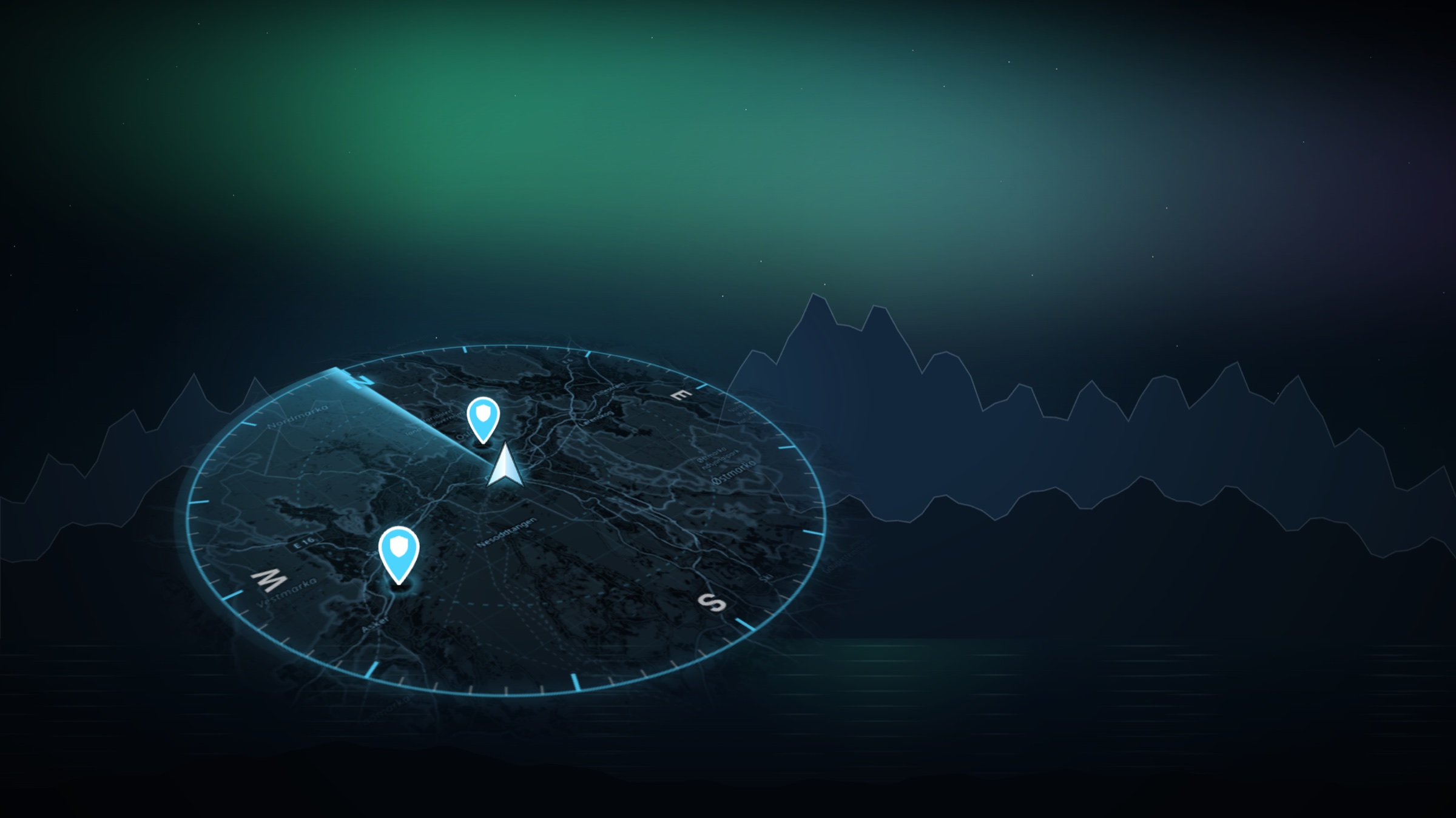
A clearer view.
Of every journey.
Roads, weather and charging at a glance.
Your dashcam memories, all in one place.
Free dashboard · No installation in the car
Everything that matters.
One glance.
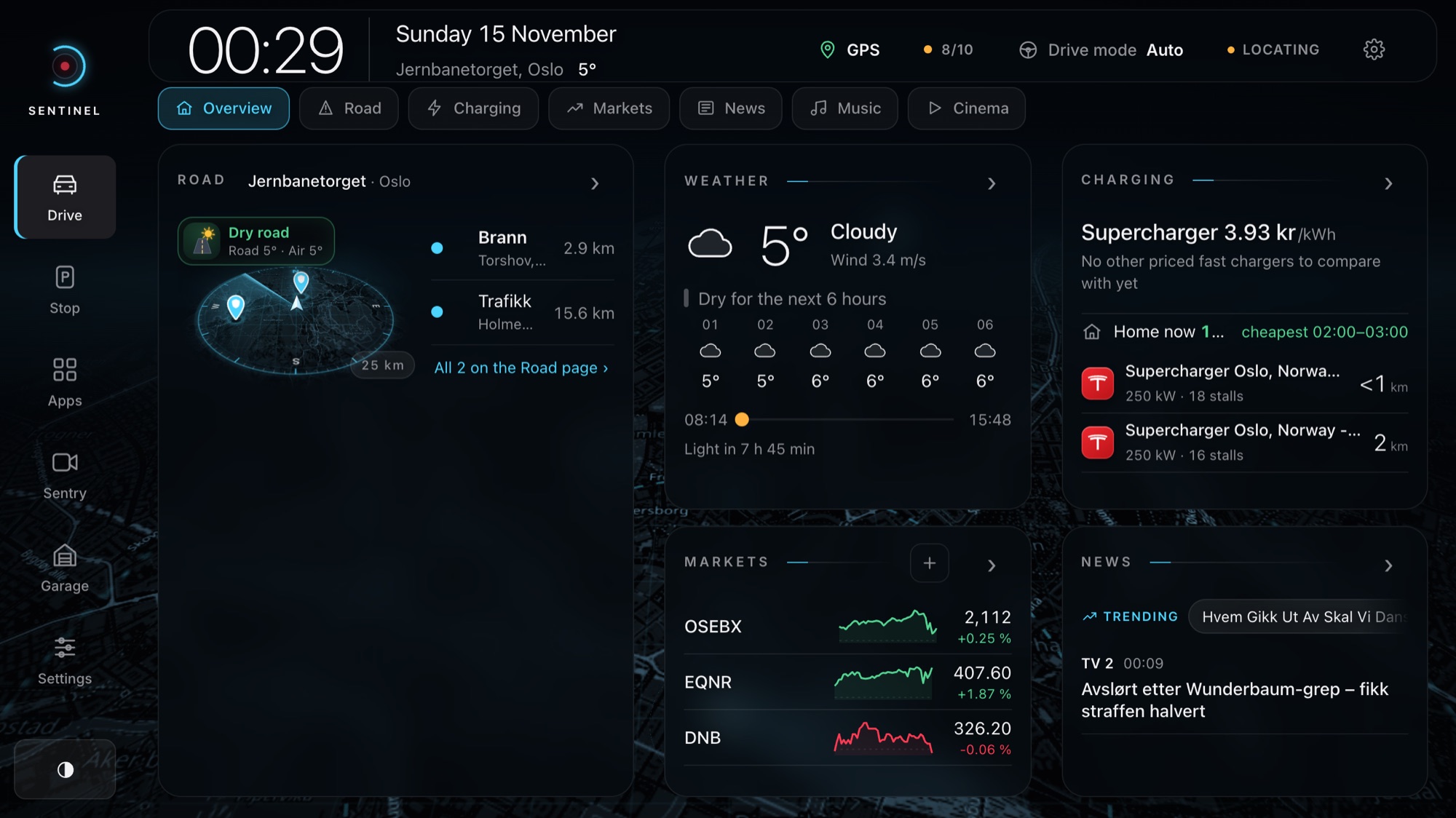
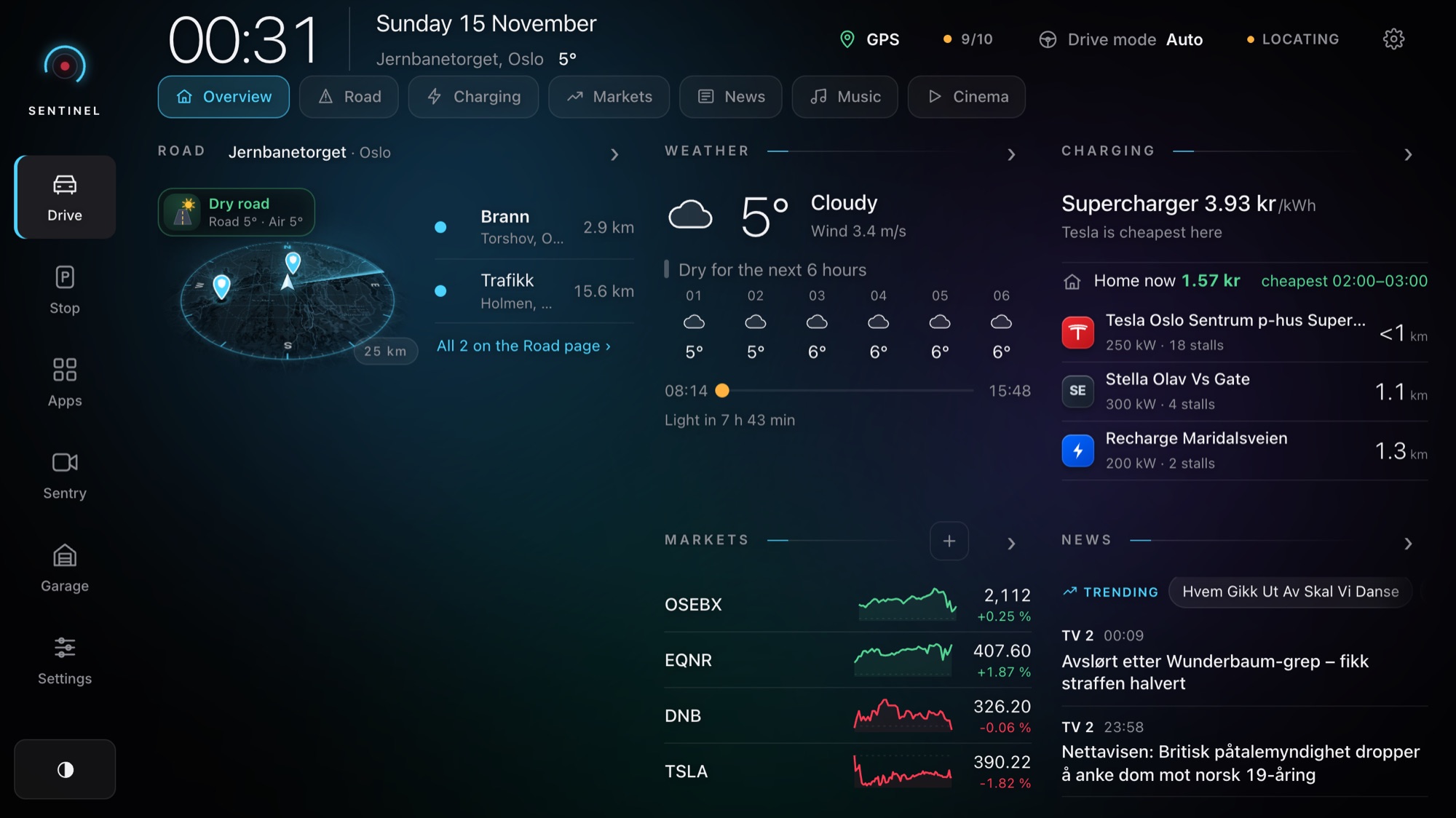
A considered home for roads, weather, charging and the things you follow. Clear sources and update times keep you informed.
What's on the road ahead
Police reports, closures, road works and road cameras near you, ranked by what matters most.
The next six hours
Rain, wind and daylight, plus a plain answer: dry for the next 6 hours, or not.
Where it's cheapest
Compare nearby fast chargers and operator prices, and find the cheapest hour to charge at home.
The world, briefly
Your watchlist, headlines from the newsrooms you pick, and what's trending right now.
Calm when you're moving.
A larger, glance-only layout with no settings and no fine print. It turns on by itself when the car starts moving, and the live map can sit right behind it.
See the road before you reach it.
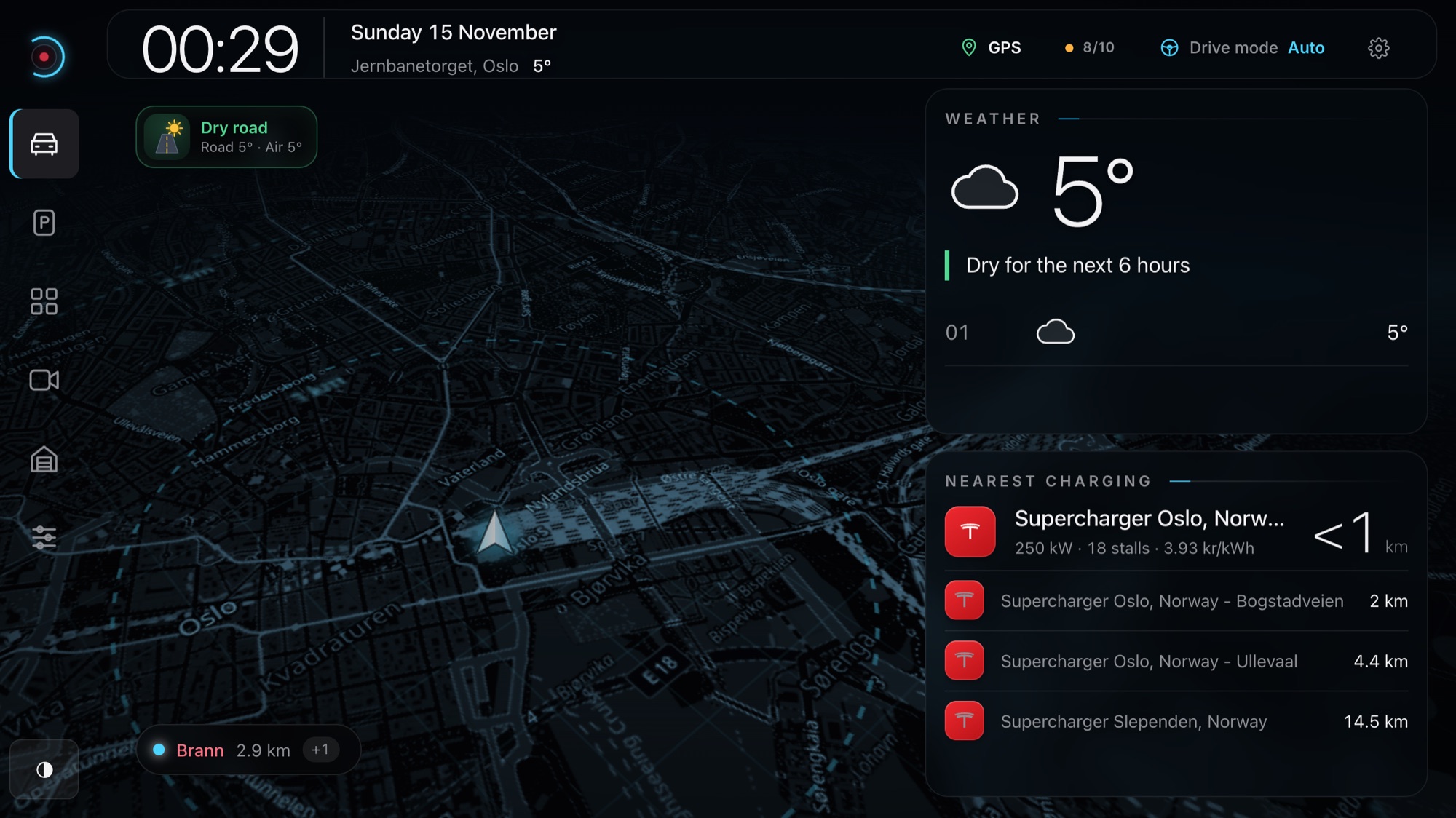
A tilted GPS map that turns with you. Police, closures, road works and weather warnings stand up as pins, and the road surface shows as a badge you read in a second.
- Road condition at a glance. Dry, wet, snow, icy, frost or fog, from road-station temperatures and the grip forecast.
- Ranked, not cluttered. Closures first, then serious incidents, then distance. Nearby pins merge into one.
- 10, 25 or 50 km. Pick the radius. The map follows your heading.
Know the price before you plug in.
Fast chargers around you with power, stalls and price per kWh, compared across operators. Sentinel also tells you the cheapest hour to charge at home tonight.
- Price per kWh for Supercharger, Ionity, Circle K, Mer, Recharge and more.
- Home charging window from today's spot prices.
Every camera. In sync.
Open a clip and all six cameras play together, with the car's own driving data on top: speed, gear, blinkers, brake, accelerator, steering and Autopilot.
Straight from the USB drive
Saved, Sentry and Track clips, copied byte for byte. Never re-encoded.
The car's own numbers
Decoded from the metadata newer firmware embeds in every clip while you drive.
Keep only what matters
A lossless cut to the exact moment. Removed footage goes to the trash first.
Find it again
Titles, tags, notes, favourites and a map of every event.
From dashcam to Reel in a minute.
Turn any moment into a vertical 1080×1920 video for Instagram Reels, TikTok and Shorts, with the same driving HUD you see in Sentinel.
- One, two or three cameras, plus a small rear camera like a rear-view mirror.
- Blinkers, steering, speed and brake drawn into the video when the clip has driving data.
- Preview before you save. Caption, date and place, and a watermark that stays clear of Instagram's buttons.
Parked? Know where you are.
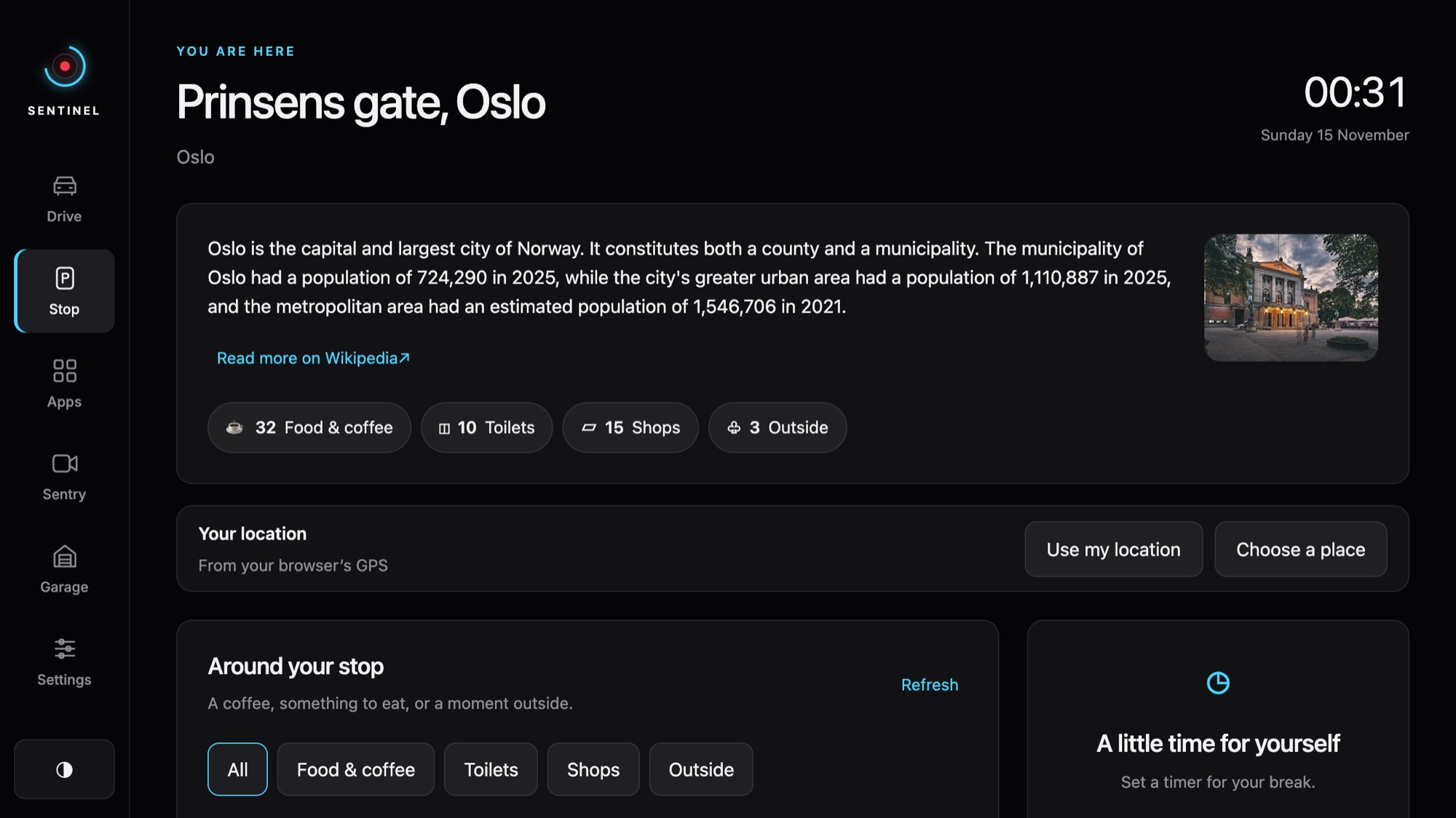
The moment you stop, Sentinel shows the place, a short story about it, and what's around you: coffee, toilets, shops and things worth seeing nearby.
Made for the charging stop.
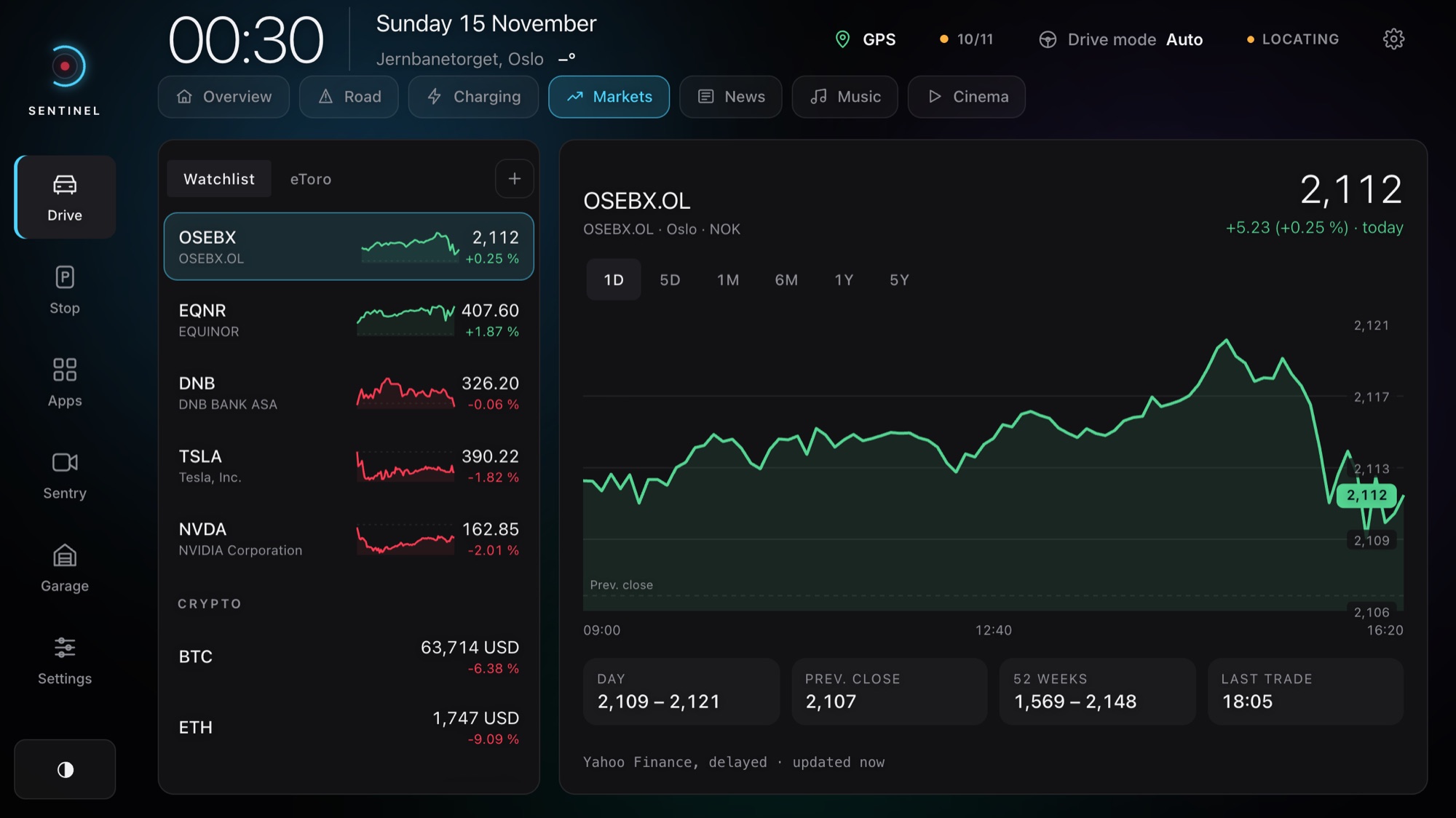
Markets
Your watchlist with charts, and your own eToro account, read only. Sentinel can't trade.
Cinema
YouTube and live TV with a miniplayer that follows you between pages.
Parked onlySpotify
Now playing with like, skip and play controls, large in Drive mode.
News & Trending
Headlines from the newsrooms you choose, a reader that fits the screen, and what's trending.
Drive sounds & voice
Spoken road warnings and subtle sounds, in English or Norwegian.
Your language
English and Norwegian built in. Swedish, Danish, German and Finnish download on demand.
Your footage stays yours.
Every household gets its own private space. Your clips, settings and keys are walled off from everyone else, and only the people you add can see them.
- Your own account. Email and password, with household members who can watch but not change settings.
- No password on the car's screen. Pair the car with a one-time code from your phone.
- Keys never reach the browser. API keys stay on the server, and video stays locked while you drive.
In the car: tap Use a code from your phone and type it in. The car stays signed in.
Start free. Add the cloud when you need it.
The dashboard is free. Premium keeps your dashcam footage safe in the cloud, so you can watch it from anywhere and turn it into Reels.
Free
1 GB of media transfer / month
- Car View, Drive mode and the 3D radar
- Road conditions, charging prices and Stop
- Connect the car with a code from your phone
Premium
10 GB of media transfer / month
- Everything in Free
- Your Sentry and dashcam clips in the cloud, all six cameras
- Driving data overlay, trim and Reels
- Household members at no extra cost
Pro
25 GB of media transfer / month
- Everything in Premium
- Room for months of Sentry events
- For drivers who keep every trip
Premium and Pro start with 14 days free. You won’t be charged until the trial ends. Prices in NOK. Extra usage is off by default. Approve a limit in Account: storage is 2 kr per extra GB-month (daily snapshots, 1/30 of the monthly rate per day); media playback, downloads and screen sharing are 4 kr per extra GB. Included transfer resets each UTC calendar month. GB means 1024 MiB. Transfers and new uploads stop at your limits. Reducing a storage limit does not delete footage or stop charges for storage already used. Change or cancel any time. A 10-minute clip from six cameras is about 2 GB.
Good to know
Does it work in my car?
Sentinel runs in the browser on your car's touchscreen, so there is nothing to install. It is made for Teslas with the in-car browser. The dashboard works in any browser too, and the archive and Reels work on your phone and computer.
Is it safe to use while driving?
Drive mode switches on by itself when the car moves: a larger, glance-only layout with nothing to scroll. Video and other distracting content is locked while you drive.
How do I get my dashcam footage in?
Take the USB stick out of the car, plug it into your computer and drag the TeslaCam folder onto the upload page. Clips already in your archive are skipped, and an interrupted upload continues where it stopped.
How much footage fits in my plan?
A 10-minute event from all six cameras is about 2 GB, so Premium (100 GB) holds around 50 such events and Pro (250 GB) around 125. RecentClips are cleared automatically after 14 or 30 days, so the space goes to what you keep.
Does watching use a lot of mobile data?
Data saver is on by default: Sentinel plays light copies that use a fraction of the data of the originals. Switch to HD whenever you want full quality. Reels are always made from the originals.
What happens if I cancel?
Your plan runs to the end of the period you have paid for. After that your footage is kept for 30 days, so you can download it or pick a plan again, and then it is deleted. The free dashboard keeps working.
Who can see my footage?
Only you and the people you add to your household. Each household is walled off from every other, footage is stored in the EU, and we never look at it or use it for anything else.
Can my family use it?
Yes. Add the people in your household at no extra cost. They can use the dashboard, the archive and the car; only you change settings, keys and the plan.
Sentinel at a glance
- Cameras
- Front, rear, repeaters, pillars
- Car screen
- Tuned for 1256 × 706, beside the map or full screen
- Radar radius
- 10, 25 or 50 km
- Reel format
- 1080 × 1920, 10 to 60 s
- Driving data
- Speed, gear, blinkers, brake, pedal, steering, Autopilot
- Car pairing
- 8-digit code, 10 minutes, single use
- Languages
- English, Norsk + 4 downloadable
- In the car
- Runs in the browser. Nothing to install
Three steps to a smarter screen.
Create your Sentinel
Set up your private Sentinel and sign in with your email and password.
Connect the car
Open your Sentinel address in the car's browser and type the code from your phone.
Make it yours
Pick a background, your news, your watchlist and Drive mode. The car remembers.
Make the screen yours.
Start free. Try Premium for 14 days when you want your footage in the cloud.